
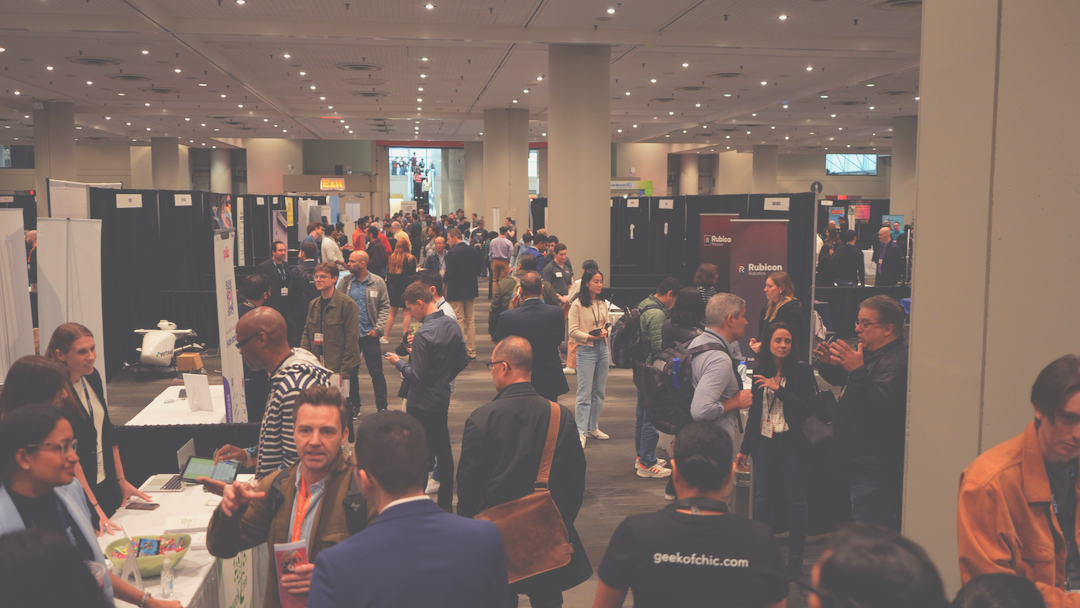
TechDays SF – Conference Agenda Available

Announced on March 20, 2012

TechDays SF is just days away from starting. TechDays SF – Conference Agenda 2012 for those that want to have it downloaded prior to arriving for registration. We look forward to seeing everyone at the event! The survey forms for the conference are available:

Day 1 Survey

Day 2 Survey

- Ed

0

TechDays SF – $300 Price Ends on March 7th!

Announced on March 5, 2012

We are still accepting registrations for TechDays SF!  

Don’t miss this great lineup of speakers presenting on current topics for IT Professionals.  The speakers include Microsoft MVP’s Mark Minasi, Richard Hicks, Jessica DeVita, Jennelle Crothers, Steve Evans, Darren Mar-Elia and many more distinguished presenters. In addition, from Microsoft we will have Stephen Rose, Joey Snow, Chris Avis and Harold Wong.

For more information about our speakers and sessions, use the following links:

You will not find a more  information-packed two-day event at this fabulous price.  The first 50 paid registrations will recieve a copy of Windows 7 Ultimate.  We will also be giving away an Amazon Kindle Fire!

We have a block of rooms available at the Hotel Diva.  Please say you are part of the “Pacific IT Professionals” when you call to book your room to recieve the TechDays rate of $145.

Register for TechDays SF now.

0

TechDays SF March 22nd/23rd – Speakers and Sessions Update

Announced on February 13, 2012

Every day brings us closer to TechDays SF on March 22nd and 23rd! We’ve nearly finalized all our sessions and speakers, so be sure check them out. You don’t want to miss these two days of learning, specifically geared toward the IT Professional.

Due to room capacity issues the conference will be limited to a maximum of 200 attendees with registration being first come first served. The first 50 paid registrations will receive a copy of Windows 7 Ultimate and we also will be giving away an Amazon Kindle Fire, a USB Battery charger and a Samsung Focus Flash Window Phone 7 to one of the paid attendees but you have to be present to win.

Kindle Fire Microsoft PowerTrip Samsung Focus Flash

Finally, the $300 pricing ends on March 6th!!  On March 7th the price goes up to $400, don’t miss out on your chance to save $100 by signing up now.


TRACK 1 TRACK 2 TRACK 3
Day 1 SERVER CLIENT
9:00 – 9:50 Windows 8 Server * 9-10:15 Alphabet Soup Deployment – Understanding MDT, WDS, MAP, ACT, SCCM, and USMT -
10:00 – 10:50 Windows 8 Server / 10 Things to know about W2K8R2 Server * 10:30-12 Solving Common Admin Paint Points with MDOP -
11:00 – 11:50
10 Things to know about W2K8R2 Server
The Flexible Workstyle For IT Pros -
12:00 – 12:50 Lunch – not provided - -
1:00 – 1:50 Lunch – not provided - -
ENTERPRISE MANAGEMENT MISC
2:00 – 2:50 Clustering System Center 1 Wireless
3:00 – 3:50 IIS System Center 2 SharePoint topic 1
4:00 – 4:50 DNS Troubleshooting Hyper-V in Windows Server 8 SharePoint topic 2
6:00 – 8:00 Meet and Greet Party (All conference attendees) - -
Day 2 CLOUD/VIRTUALIZATION ENTERPRISE APPS
9:00 – 9:50 Hyper-V foundations AD/GPOs -
10:00 – 10:50 The Future of IT and the cloud Exchange -
11:00 – 11:50 An IT Pro View of Windows Azure Lync -
12:00 – 12:50 Lunch – not provided - -
1:00 – 1:50 Lunch – not provided - -
SECURITY DR/REMOTE POWERSHELL/SCRIPTING
2:00 – 2:50 VPN’s Virtual Desktop / RDP Powershell (Beginners)
3:00 – 3:50 DirectAccess Virtual Machine Backup Powershell (Advanced)
4:00 – 4:50 ForeFront / Firewalls Disaster Recovery Planning DNS/DHCP/IPAM
6:00 – 8:00 Speakers Dinner (invitation only)

If you have questions or comments please email us at techdays@pacitpros.org

Register at http://techdays.org/2012/01/techdays-2012-registration/

0

TechDays SF – March 22 and 23rd, 2012

Announced on January 1, 2012

Pacific IT Professionals (pacitpros) will be hosting a two day IT Professional conference in San Francisco March 22 and 23rd, 2012. This conference will have a 2 day format with presentations being 45 minutes in length leaving 5 minutes for Q&A and 10 minutes between sessions. We have planned 2 tracks that run all day both days and a 3rd track that runs in the afternoon both days. Due to room capacity issues the conference will be limited to a maximum of 200 attendees with registration being first come first served. The first 50 paid registrations will receive a copy of Windows 7 Ultimate and we also will be giving away an Amazon Kindle Fire to one of the paid attendees. Full details on fees, local hotels and location will be update shortly.

Speaker selection has started but a final list of topic and session abstracts will not be available until closer to the conference date. At this time we have a tentative schedule and tentative topics as outlined below. These are subject to change due to what speakers are selected and feedback about topics. * Update – we are almost ready to release the final speakers list. Very exciting group of presenters for the event – stay tuned!

*updated – all the session information is posted at http://techdays.org/2012/02/techdays-sf-speakers-and-sessions-update/

If you have questions or comments please email us at techdays@pacitpros.org

Please register for the event.

0

TechDays 2012 Registration

Announced on January 1, 2012

TechDays SF

Date: March 22 and 23rd
Location:
Microsoft – SF Office
835 Market Street, Suite 700
San Francisco, CA 94103
Cost: $300 (This price good until March 6th.  Price goes up to $400 on March 7th)

Description:
A two-day IT Professional conference on Microsoft software and related topics, hosted by Pacific IT Professionals. Presentations will be 45 minutes in length highlighting a variety of Microsoft server, client, enterprise and management products and solutions.

Attend sessions from multiple tracks to customize your experience and talk to a variety of industry experts. View the tenative schedule and topics for more information.

Registration is limited to 200 attendees.  The first 50 paid registrations will receive a copy of Windows 7 Ultimate.  All attendees will be registered to win a Kindle Fire!

0

SharePoint administration for the unexpected administrator

Announced on September 3, 2011

Date: September 23, 2011  Friday, 10–5pm
Cost: $99
Location: Microsoft San Francisco, 835 Market Street Suite 700, San Francisco, CA 94105
http://tinyurl.com/44ooxrx

Do you have a SharePoint installation that you’ve inherited (or you installed it on a whim and now it’s taken on a life of its own)? It seems to be okay, but you’re not quite sure what to do next? Feel as if you’re not quite in control of your implementation? Welcome to the kitchen sink session– where we take a look at a day in the life of a SharePoint Administrator. Using SharePoint Foundation (which is the foundation of the SharePoint Server 2010 product, as well as a stand-alone product in and of itself), we’ll explore the administrative tasks and concepts a SharePoint admin needs to know to successfully run a SharePoint implementation. From how to automate back-ups, to what the difference is between a web application, subsite, and site collection, how to secure lists and libraries, how to manage permissions, how to monitor your SharePoint server, and more. Ever had issues with lost web parts? Unsure about disaster recovery? Come see a little bit of everything in this six hour presentation and become more confident about your SharePoint implementation.

This presentation will be done on SharePoint Foundation 2010, which is the fundamental infrastructure of SharePoint Server 2010, so all administrative information applies to both. If you are using WSS 3.0 or SharePoint 2007, much of what is covered will still apply. This session is intended for newer IT pro SharePoint administrators or those who might want a more comprehensive refresher concerning all those basic things most other sessions just assume you know.

About the presenter:
CA Callahan
is the author of Mastering Microsoft SharePoint Foundation 2010 and Mastering Windows SharePoint Services 3.0 along with being a well known trainer and speaker on SharePoint. Her noted traits are being over the top passionate about the Microsoft SharePoint product, connecting with those who attend her sessions and participating in user groups and conferences. As a former Microsoft MVP in SharePoint and a recognized expert on SharePoint she helped run the SharePoint hands on labs at TechEd in Atlanta (actually she fixed the lab because it wasn’t working!) We are very excited to have her out to present.

0

Digital Forensic Investigation 5 Day Workshop

Announced on July 28, 2011

Date: September 12-16, 2011   M-F, 9–5pm
Cost: $999
Location: 33 New Montgomery Street #300, San Francisco, CA 94105

CLICK TO REGISTER then scroll to the bottom of the page

This training is meant for those without any previous experience with digital forensics. The student will be introduced to concepts and techniques that every computer forensics practitioner must master. This is the same course that CSI has delivered to IT professionals, law enforcement, and the military.

Who should take this class?
Anyone in an information technology related field. New security personnel, IT security officers, security professionals, security auditors, network engineers, network administrators, troubleshooters and technicians. Appropriate for anyone interested in network security – technical CEOs and law enforcement as well.

Course topics for this training will include:
Active, archival and latent data
Hashes and Checksums
Conducting keyword searches
Creating understandable and accurate reports
Creating forensically sound working copies or images of media
Common File Header formats
Documentation, chain of custody, and evidence handling procedures
Assisting with motions (ie, motions to compel production of a hard drive, logs, etc)
Questions to prepare for/advising your retaining counsel
FAT 12/16/32 file systems
File slack, ram slack, drive slack, and unallocated space
NTFS File Systems
Compact Disc analysis
Interpretation of various log formats
Interpreting Internet History and HTTP concepts
Manual and automated data recovery
Metadata for Microsoft Office and PDF documents
Overcoming encryption mechanisms and password protection
PC hardware concepts
Privacy issues
Rules of evidence
Windows print spool files
Windows registry
Windows shortcuts
Windows swap file
Working as an expert technical witness
Insurance/liability issues
Viruses and malware

Prerequisites:
It is highly recommended that students have several years experience in information technology and trouble- shooting Windows based systems. Experience as a System Administrator, Network Administrator, PC Repair Technician, etc., is desirable. At the very least, students should possess the A+ certification or have equivalent experience.

Additional Requirements/Conditions:
All students must agree with and sign the CyberSecurity Institute Code of Ethics and Conduct which will be presented for signature during the first day of computer forensics training. You can view the Code of Ethics and Conduct here. If you have any problem whatsoever with signing the Code of Ethics and Conduct, do not enroll for this course.

Under no circumstances will recording devices be allowed while attending the computer for ensics training.clip_image002

Certification
This course of instruction will prepare you for the CyberSecurity Forensic Analyst (CSFA)™certification. More information is available on our certifications site.

Forensic Tools
You will be exposed to a variety of computer forensic tools during your computer forensics training. Understand that we stress methodology and understanding of what the forensic software tools are doing versus using any specific tools. A forensic examiner who has a firm grasp of the basics will be able to use and learn to use a multitude of tools. Once you successfully complete our course, you will be able to use whatever tools you choose and are available to you.

Why Take the Course?
More organizations every day are “hanging out a shingle” to offer forensics training. Some have experienced instructors and some do not. Some also rely on a single software package for their forensic work. Our courses emphasize technique and methodology, regardless of the software package used.

Our goal is to help you become a forensic analyst that can think independently and deal with any situation that arises. Forensic examiners that know how to use a single program and are not aware of what happens behind the scenes are not true forensic analysts, but are merely people using software. These people will not hold up well against skilled forensic examiners who challenge their results and methodology – cases can be won or lost due to the skills of the forensic examiner.

College Credit
Pac IT Pros members who successfully complete the class and pass a practical exam given on the final day will receive 5 units of college credit from Edmonds Community College in Washington state.   College tuition and exam fees are included with your registration.

0

Deploy Windows 7 Using Microsoft’s FREE Deployment Tools

Announced on June 14, 2011

Date: July 15, 2011 – Friday – Workshop begins at 9:30 am.
Cost: $125
Location: Microsoft Office San Francisco  835 Market Street  Suite 700 San Francisco, CA 94103

Deploy Windows 7 Using Microsoft’s FREE Deployment Tools

Still paying for your Windows image deployment tools?  Microsoft’s free deployment tools are better than ever with Windows 7. The Microsoft Deployment Toolkit 2012 (MDT) and Windows Deployment Service (WDS) offers a complete deployment solution. While the end result of both MDT and WDS is a fully deployed Windows 7 machine – their deployment processes couldn’t be more dissimilar. In this session you’ll learn the three types of images (thin, thick and hybrid), two image formats (.vhd vs .wim) and the tools that can create, manage and deploy them.

Join Rhonda Layfield who is a 5 time Microsoft Setup and Deployment MVP in an informative, in-depth look at what MDT 2012 and WDS can do for you.

0

Windows Deployment from ACT to ZTI in Los Angeles with Stephen Rose

Announced on May 31, 2011

Windows Deployment from ACT to ZTI - Do you know how to use the free tools to move your users from Windows XP to Windows 7 and Office 2003 to Office 2010 in less than 30 minutes? Paying money for deployment tools is so 2000!

July 12th – Tuesday
Doors open at 6
Networking from 6-7pm
Presentation at 7:30pm
Location: Microsoft
333 South Grand Ave
Suite 3300
Los Angeles, CA 90071

In this session, Stephen will show you how to use the many free tools available to manage and deploy Windows, Office and Internet Explorer while reducing cost and ensuring you never having to manage multiple images again. We will cover MDT, ACT, MAP, WDS, the PoC and other tools that will do network inventory, application compatibility, shimming, image management and automated Windows and application deployment.

About our Speaker: Stephen Rose is the Worldwide IT Pro Community Manager for Windows Commercial team at the Microsoft Headquarters in Redmond, WA. Before joining Microsoft, Stephen spent 15 years running his own IT consulting company. Stephen has been a MCT and MCSE since NT 4.0.  Before joining Microsoft he was a two time Microsoft MVP as well as the Senior Tech Correspondent for Fast Company Magazine.

In his current role, he manages the vehicles that reach 1 in3 of the 22m Desktop IT pros worldwide every month. This includes the Window technical content on the Springboard Series on TechNet, he manages the Windows 7 Forums, is the editor for the Springboard Insider Newsletter, writes for Windows Team Blog, acts as the moderator for the Windows Virtual Roundtables and leads the Springboard Series Tours in North America, Europe and Asia.

You can follow the Springboard Series on TechNet via Twitter @MSSpringboard or follow Stephen on his personal feed @stephenlrose

0

IPv6 for the Reluctant: What To Know Before You Turn It Off

Announced on March 28, 2011

Todd Lammle and Mark Minasi
“IPv6 is never gonna happen,” right?  For good or ill,  that’s not true.   At our current rate — assuming no growth in demand for IPv4 addresses – we will exhaust IPv4 addresses by December of 2013.  That’s right…  by New Years 2014, there won’t be an IPv4 address to be had for love or money.  (And IPv6 is an essential part of Windows Server 2008 R2′s nifty DirectAccess “invisible VPN… but that’s a story for another day.)

We get IPv6 in-the-box with Vista and Server 2008. Your first reaction when you see an IPv6 address like “fe80::5efe:10.50.50.112″ might be: “Hmmm… that’s a lotta colons, and I KNOW what comes out of colons!” But is that the RIGHT reaction? Join Cisco uber-guru Todd Lammle and veteran Windows explainer Mark Minasi as they team up to present a look at the latest version of IPv6… and whether you’ll want to leave it on or turn it off. In this whirlwind tour, Todd and Mark explain the motivation for IPv6 and the technologies behind its implementation (which saves you from having to read 30 RFCs), adding useful notes on the Microsoft-specific aspects of Windows’ IPv6 implementation.  IPv6 offers many more pluses than minuses… so come give it a look!

0